Paymob Billing Portal API
1. Setup
To start the integration with Paymob billing you need to get an account from integrationsupport@paymob.com, this will contain public and secret API keys.
2. Authentication
All the endpoints in the API use HMAC signature for authentication, implement the procedure defined here and add this authentication header in all the API requests.
3. Service Catalog
All available services to your account will be displayed in the /categories/ and /providers/ endpoints, all
details here to fetch these services and select a service to perform bill payment
Note also that we there are endpoints that can return the top used services for your account documented here
4. Service API
Inquiry - Fees Inquiry - Payment, all details here
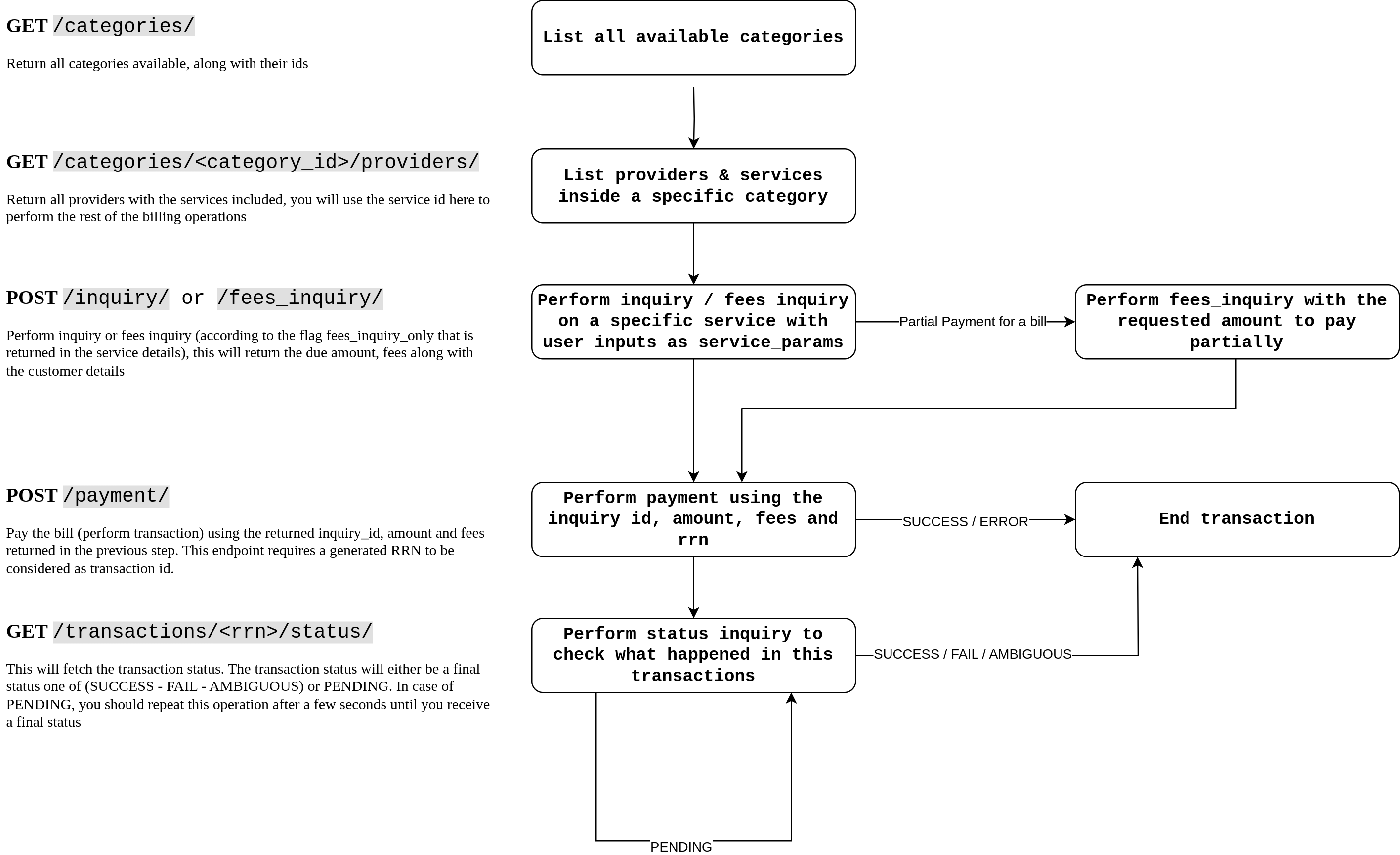
Operation Diagram
Other endpoints
Multiple Bill Inquiry
Inquiring multiple bills for the same user input and paying them bundled here
Service Search
Search for providers or services here
Balance details
Balance details and balance transactions here
Transaction details
Endpoints related to transaction list and transaction status, all details here